Deepink Gives You Back Dozens of Hours a Year
February 25, 2026

Most note-taking apps don’t waste your time in obvious ways.
They waste it in micro-frictions: tiny, repeatable speed bumps that steal seconds, break focus, and quietly tax your attention all day.
Modern knowledge work already involves constant “toggling” between apps and sites, often thousands of switches a day, so every extra step matters.
Deepink is built around one idea: make the common actions feel instant - because that’s where the real time goes.
The hidden tax of the extra clicks
Bookmarking a note should be a single motion. But in many apps it looks like this:
- Open a menu (often a hamburger/overflow menu)
- Find the action
- Confirm or name it
- Choose a folder/group
- Close the dialog and get back to what you were doing
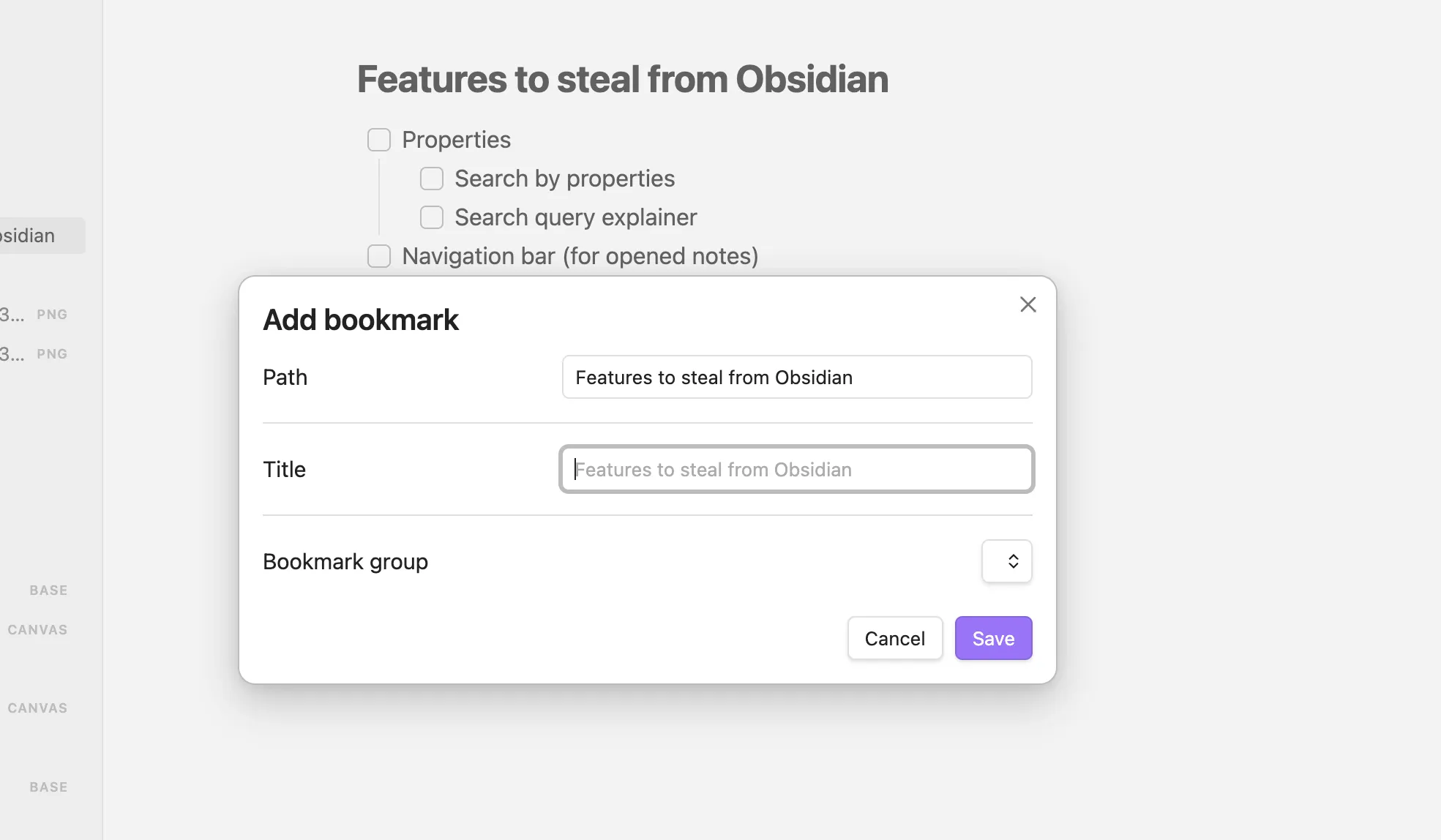
That’s not just time. It’s reorientation: you leave your thought, operate the UI, then try to resume the original task.
And when actions are tucked behind hidden navigation, the cost increases. Nielsen Norman Group has shown that “hamburger”/hidden menus hurt UX metrics like discoverability and task performance compared to visible options.
Why this adds up (even if each moment feels small)
Human-computer interaction research has a blunt message: task time is built from tiny pieces.
The Keystroke-Level Model (KLM) predicts task completion time by summing the small operators involved - pointing, clicking, typing, and mental preparation. If a workflow adds steps, it adds time - reliably.
Even worse, frequent UI detours create a focus cost. Research on attention residue shows that after switching tasks, part of your attention remains stuck on the previous task, reducing performance on the next one. That’s why “just a quick menu action” can feel mentally sticky.
A note-taking app isn’t just “writing notes.” It’s the constant stream of micro-actions around thinking: capture, file, link, tag, search, reuse, share. If note work is part of the daily routine, hundreds of micro-actions per day is normal - which is exactly why micro-friction becomes a real-life time leak.
Where note apps commonly bleed time
These are the everyday moments that quietly slow people down:
- Capture friction
- switching context to open the app
- choosing a notebook/folder every time
- slow “new note” flows that require setup before writing
- Filing friction
- too many required fields (folder, tags, project, status)
- repetitive dialogs for actions that should be one gesture
- Linking friction
- multi-step “insert link” flows that force searching, confirming, then re-finding your place
- Tagging friction
- tags hidden behind menus, poor autocomplete, too many clicks to add/remove
- Retrieval friction
- search that’s slow, filters buried, results without useful preview context
- Reuse friction
- copying snippets, formatting, and re-structuring information repeatedly because the tool doesn’t make reuse effortless
None of this looks dramatic in a single moment. But it takes your time day by day.
The scale of a problem
A bit off-topic, but it’s nice to imagine the scale of a problem.
There is a browser extension called SponsorBlock that blocks “native ads” on YouTube. Users report advertisement time ranges on videos via the UI, and all other users automatically skip those segments. The typical ad segment is from 30 seconds to 3–5 minutes long.
Here are my stats reported by SponsorBlock:
You’ve saved people from 13,183 segments ( 16d 16h 59.4 minutes of their lives )
You’ve skipped 4005 segments ( 3d 1h 6.4 minutes )
They have a public leaderboard with stats if you’re interested.
As you can see, I’ve saved days of my life. Now imagine how many other things in your life silently waste your time and you don’t even know about it, just because you have no time tracker for all of them.
What Deepink does differently: one-step defaults
Deepink is designed to remove micro-friction at the source:
-
Common actions are one-step by default
Not hidden behind a chain of menus and dialogs. This aligns with how task time is actually formed: the Keystroke-Level Model shows it’s the sum of small operators. -
Less hidden navigation for high-frequency actions
When the UI keeps important actions visible, performance and discoverability improve - exactly the problem that hidden menus create. -
Fewer “breaks in thought” across the day
In a world where app/site switching is constant, reducing extra steps isn’t cosmetic. It protects focus - especially given what we know about attention residue during switching.
The result: more thinking, less tooling
Deepink delivers productivity through less friction.
Because the biggest time savings aren’t found in the rare, complex workflows. They’re found in the actions repeated all day - where seconds compound into hours, and hours compound into weeks.
Deepink is built for a notes workflow that moves at the speed of thought.
Try it for a week - then compare how much time you spend creating versus navigating.